A forwarding sends the emails received by one of your addresses on to another, for example from [email protected] to your personal address. Checked on cPanel 138.0.19 (Meridian interface) on 29 October 2026. Labels are quoted as displayed, in French.
In the Meridian interface
Open cPanel
In “My services”, click “Web Hosting”, then “Manage” for the hosting account in question, and finally “Open cPanel”. cPanel opens in a new tab, already signed in.
Open the mailbox to forward
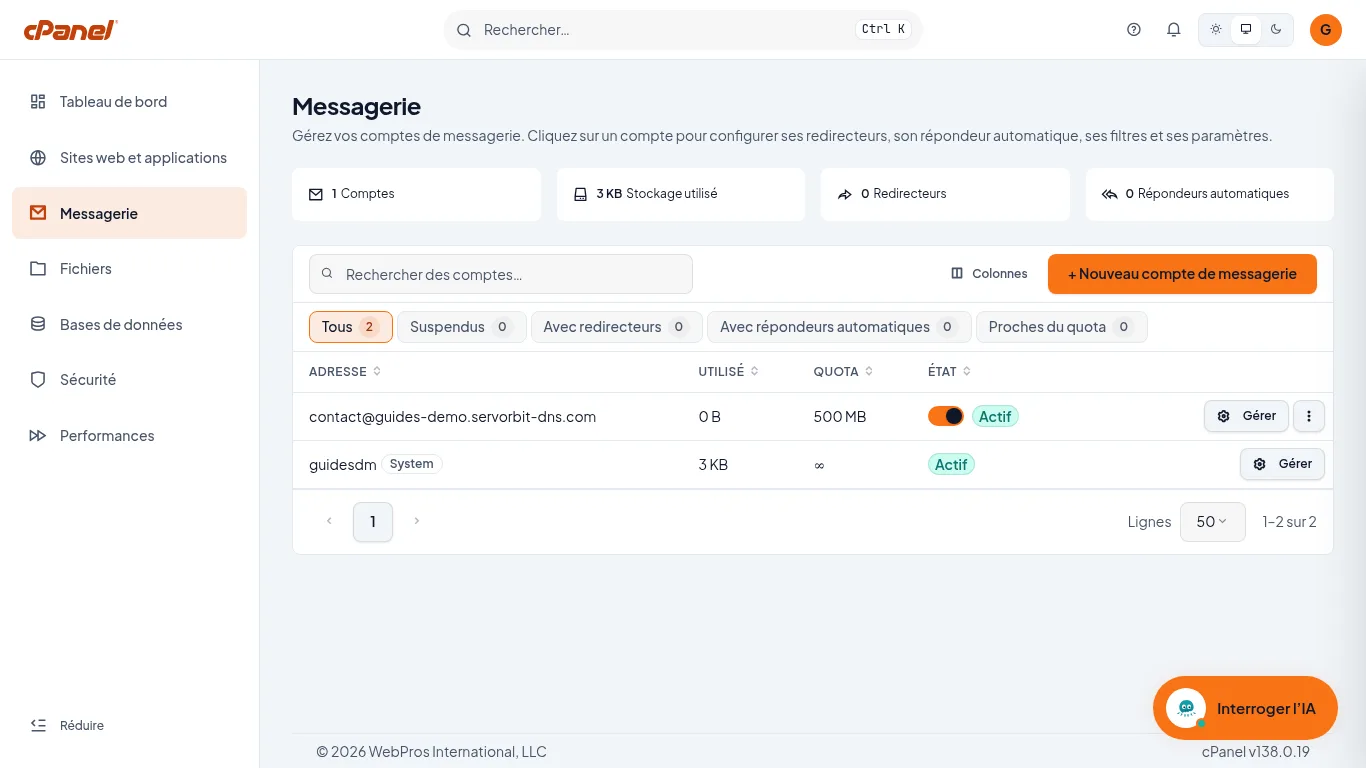
In the left sidebar, click “Messagerie” (the interface was seen in French). On the row of the address whose messages you want to forward, click “Gérer”.
Open the forwarders tab
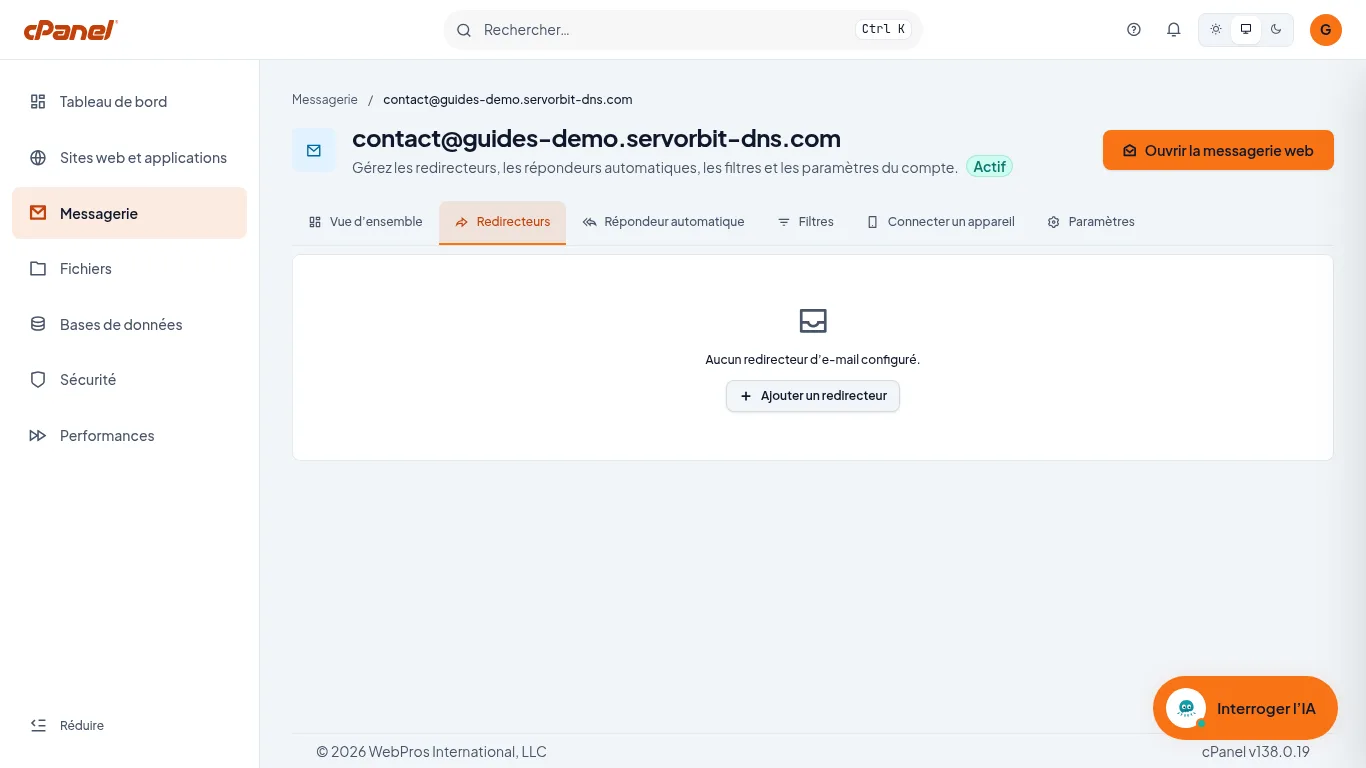
Click the “Redirecteurs” tab. As long as nothing is set up, the page shows “Aucun redirecteur d’e-mail configuré.” Click “Ajouter un redirecteur”.
Enter the destination address
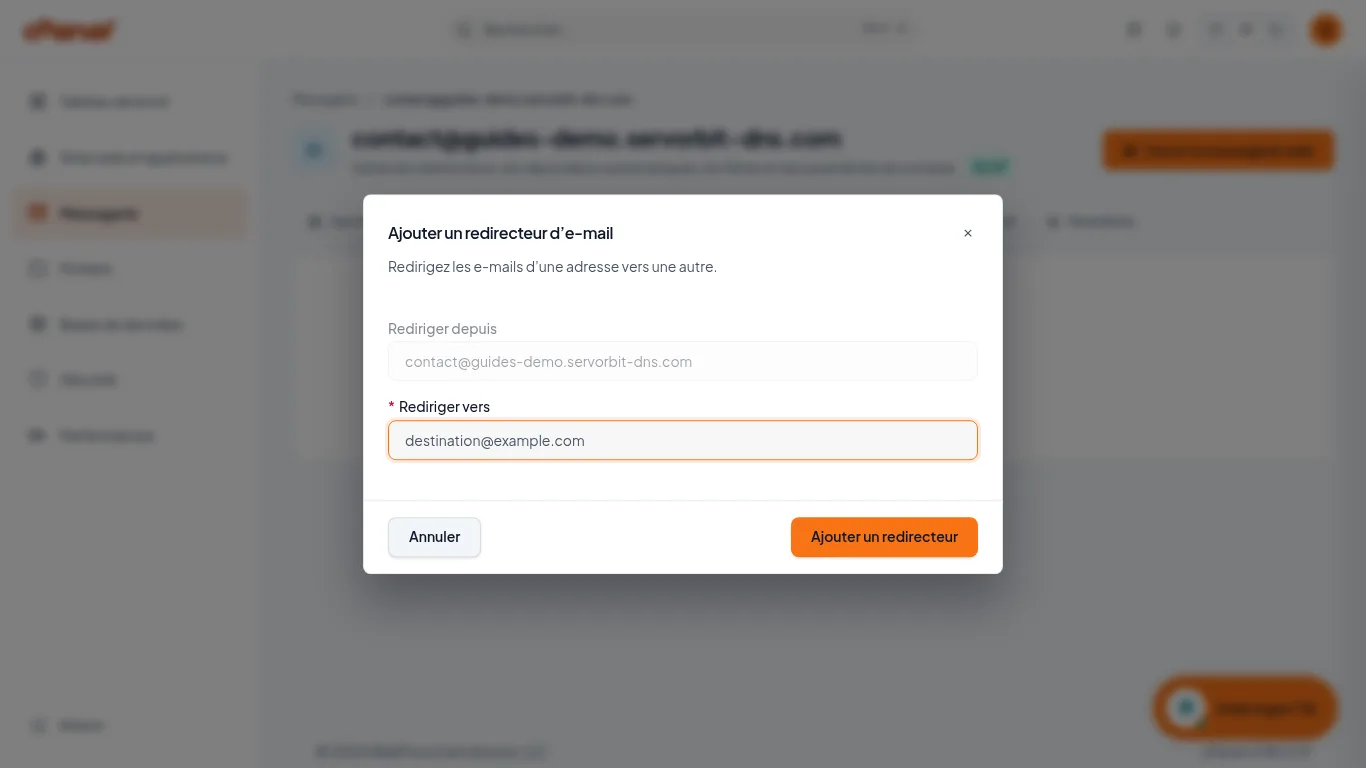
In the “Ajouter un redirecteur d’e-mail” window, the “Rediriger depuis” field is greyed out: it holds the address of the mailbox you opened. Type the address that should receive the messages in the “Rediriger vers” field, then click “Ajouter un redirecteur”.
Check the forwarding
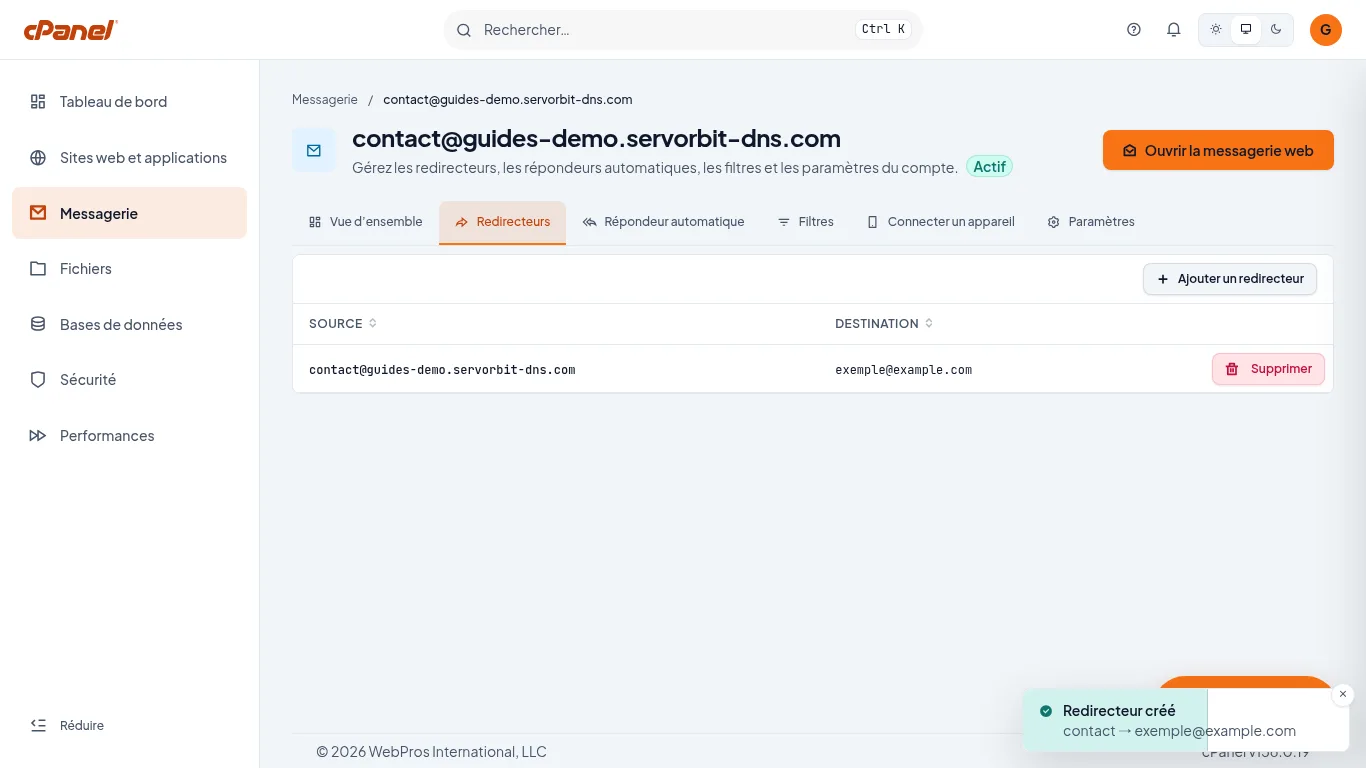
cPanel shows the notification “Redirecteur créé”. The table in the “Redirecteurs” tab lists the forwarding, with the “Source” and “Destination” columns.
The common pitfall
The forwarding is created from the mailbox to forward: the “Rediriger depuis” field cannot be edited. To forward another address, first open it with “Gérer”.
If it doesn't work
- The “Rediriger depuis” field is greyed out and cannot be edited: that is normal, it holds the address of the mailbox you opened. Go back to “Messagerie” and open the other address.
- You want to stop the forwarding: in the “Redirecteurs” tab, click “Supprimer” on the row concerned, then confirm in the “Supprimer le redirecteur” window.
- You don't have a mailbox for this address yet: create it first with the guide Create a business email address in cPanel.



